
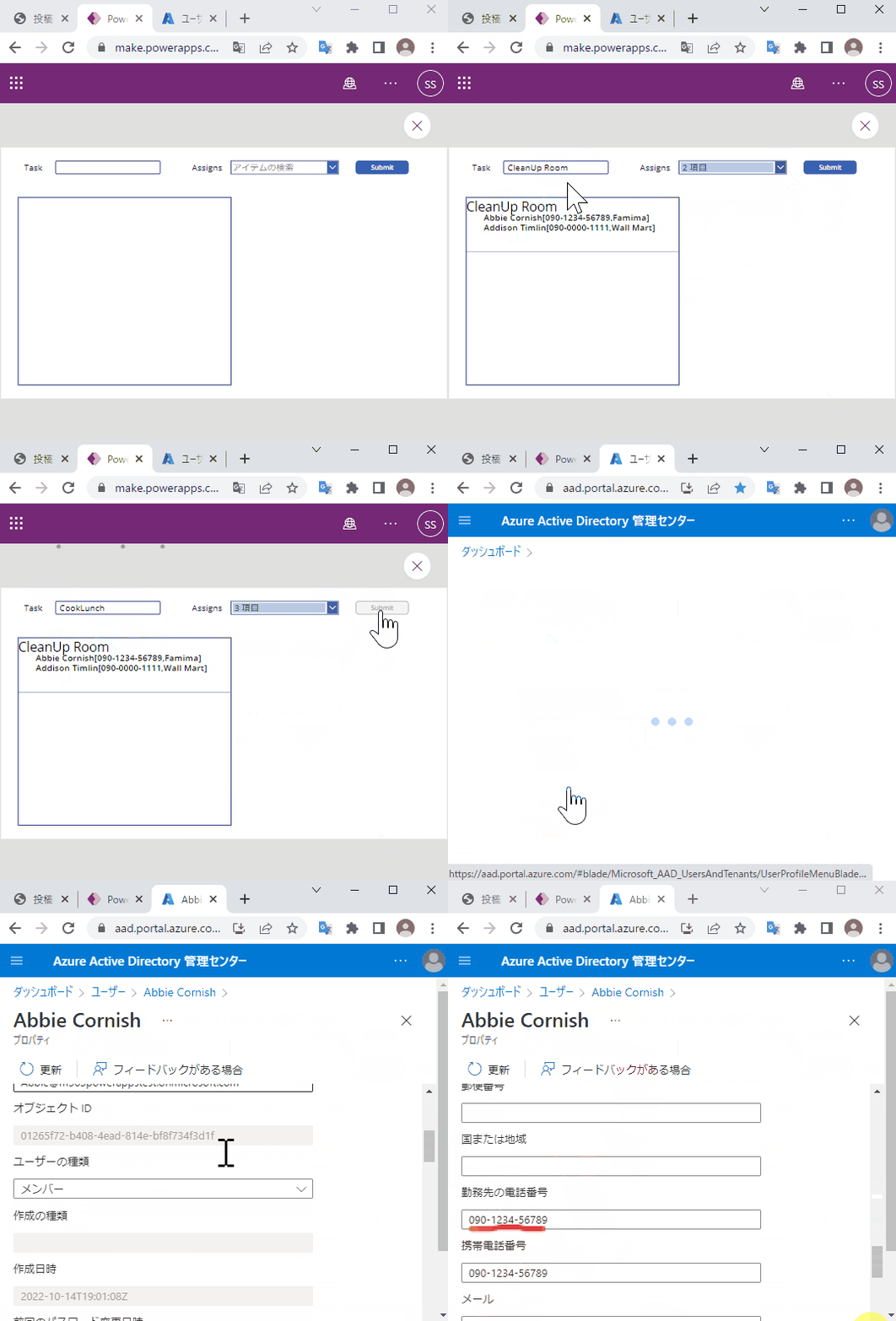
以下のようなアプリを作成する方法を説明する。
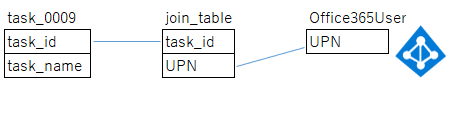
多対多の関係をID(ここではUPN)で連携するには、joinテーブルが必要なため、以下のようなデータモデルで実現する
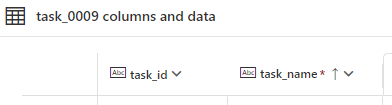
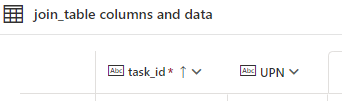
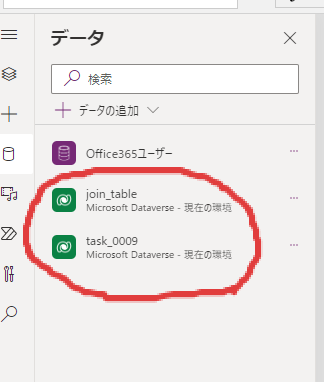
以下のようなテーブルを作成
Office365Usersを追加


Office365ユーザー.SearchUser({searchTerm:ComboBox1.SearchText})前述で作成したテーブルを追加
 コンボボックスでユーザ検索できるようにする
名前だけでなく、メールアドレスでも検索できるようにする

以下のように構成する
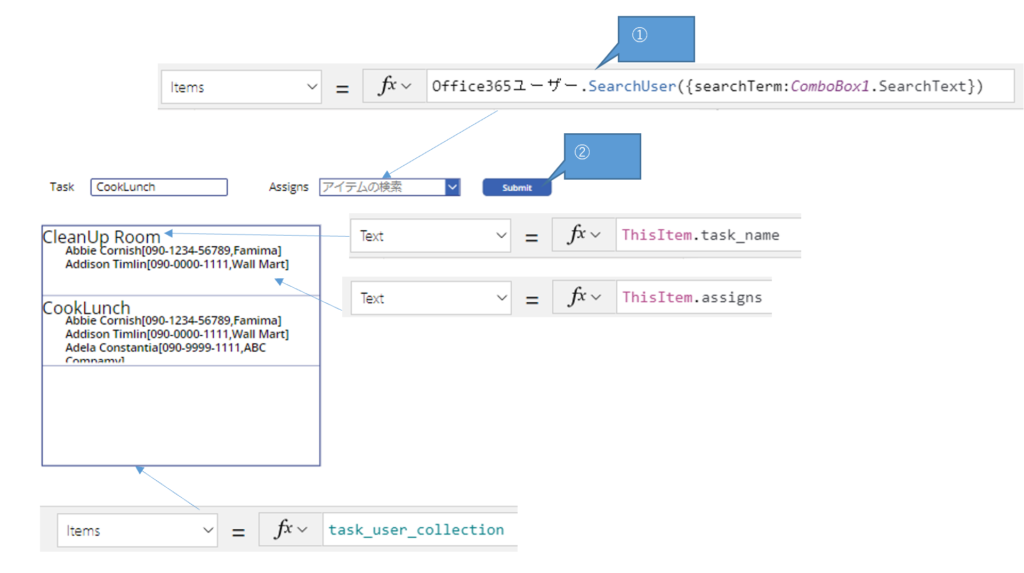
② ボタンのOnselectに以下をコーディング
// Create TaskID=GUID
Set(task_id_guid,GUID());

// Insert TaskName & TaskID to task_0009
Patch(task_0009,
    Defaults(task_0009),
    {
        task_id:task_id_guid,
        task_name:TextInput1.Text
    }
);

// Insert UPN &  TaskID to join_table
ForAll(
    ComboBox1.SelectedItems,
    Patch(join_table,
        Defaults(join_table),
        {
            UPN:UserPrincipalName,
            task_id:task_id_guid
        }
    )
);

// Copy join_table to join_collection
ClearCollect(join_collection,
    ForAll(join_table,
        {
            task_id:ThisRecord.task_id,
            UPN:ThisRecord.UPN
        }
    )
);

// join task_0009 & join_table
ClearCollect(task_user_collection,
    ForAll(task_0009,
        {
            task_name:ThisRecord.task_name,
            assigns:
                Concat(
                    Search(
                        join_collection,
                        ThisRecord.task_id,"task_id"
                    ),
                    Concatenate(Text(
                        Office365ユーザー.UserProfileV2(UPN,{'$select':"displayName"}).displayName &
                        "[" &
                        Office365ユーザー.UserProfileV2(UPN,{'$select':"mobilePhone"}).mobilePhone &
                        "," &
                        Office365ユーザー.UserProfileV2(UPN,{'$select':"companyName"}).companyName &
                        "]"
                    ),Char(13)
                )
            )
        }
    )
);